Ticketing features
See exactly what you get
These are real screens from LET, not mock-ups: what your buyers see, and what your team uses from the first sale to the last ticket at the gate.
The example is a two-day vintage rally. The club, its buyers and their bookings are made up.
Your event page
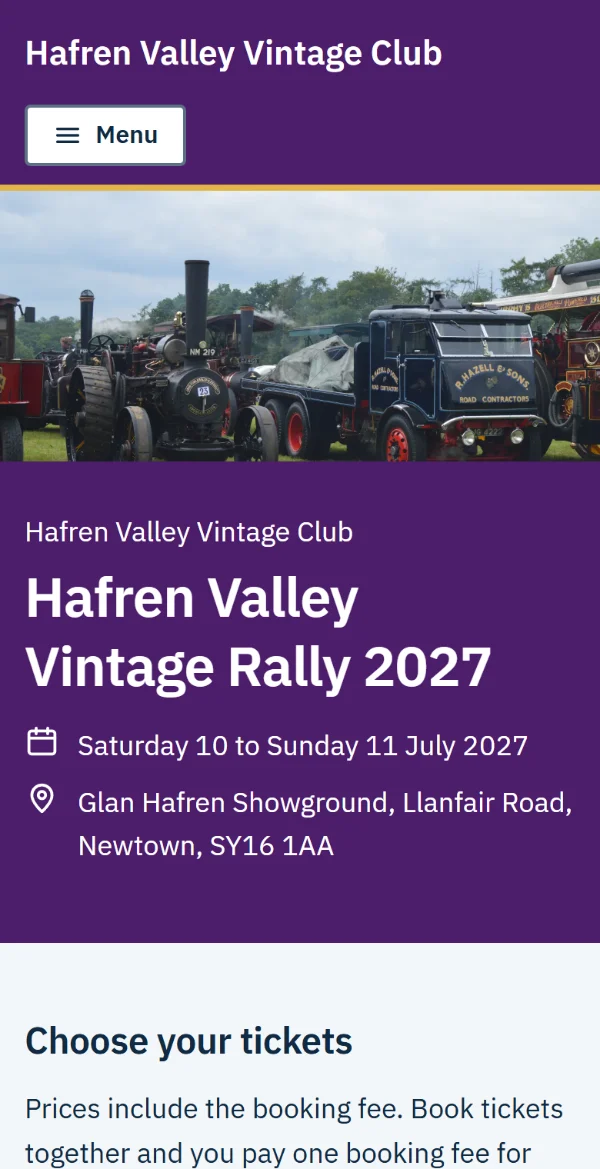
Your own page, in your colours
Share one web address on your website, posters and social media. Buyers see your event first, with LET quietly in the footer.
- your colours, logo and event photo
- tickets grouped the way your event runs, by day, weekend or camping
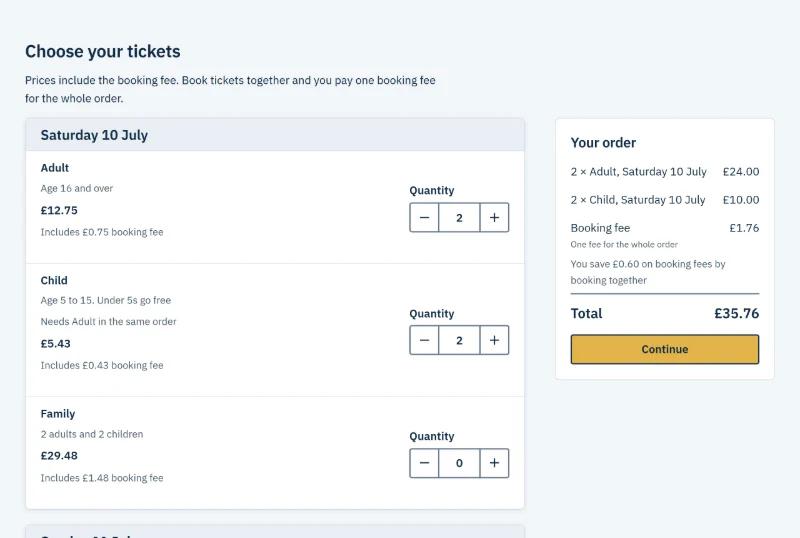
- every price shown with the booking fee included, so nobody gets a surprise at checkout
- one booking fee for the whole order, with the saving shown when people book together
- a limit on each ticket type, and "Only 11 left" when stock runs low
- rules such as a child ticket needing an adult ticket in the same order
Checkout
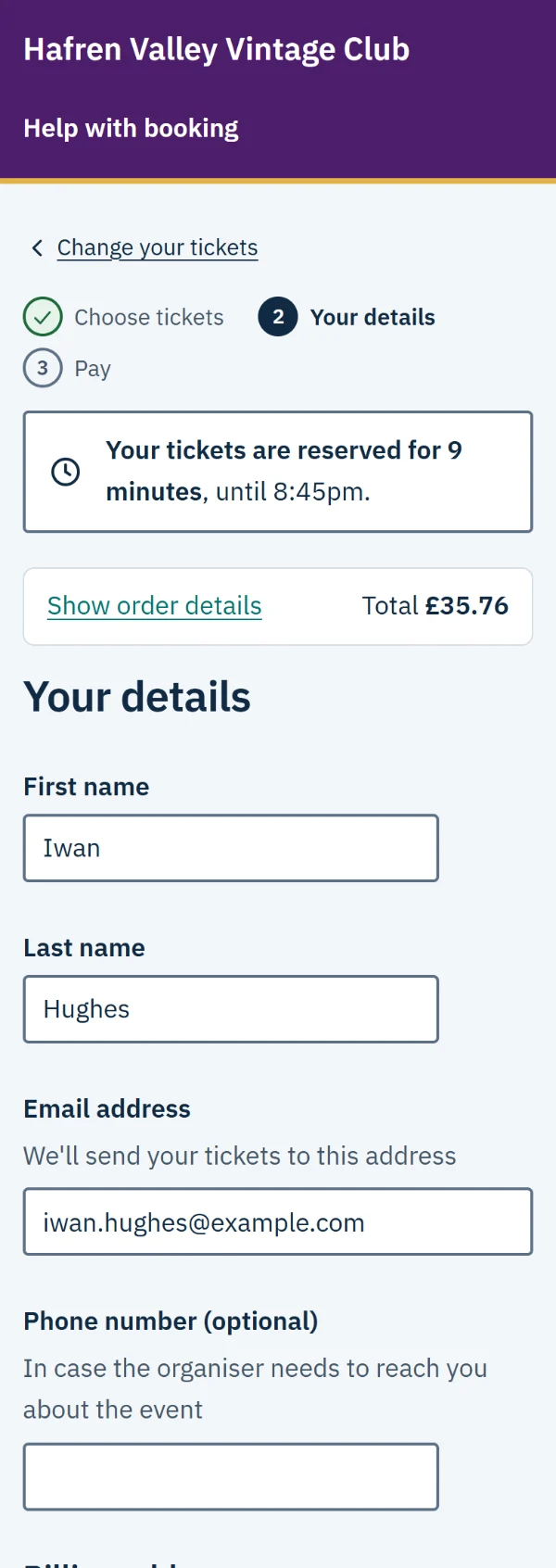
A checkout people trust
The same clear steps for every event, built to work for everyone on any phone, including people using a screen reader or zoomed in.
- tickets reserved while people book, with the time left always on screen
- paying by card, Apple Pay or Google Pay, through Stripe
- your own questions, such as a vehicle registration for a camping pitch
- discount codes, such as 10% off for club members
Tickets
Tickets in their inbox straight away
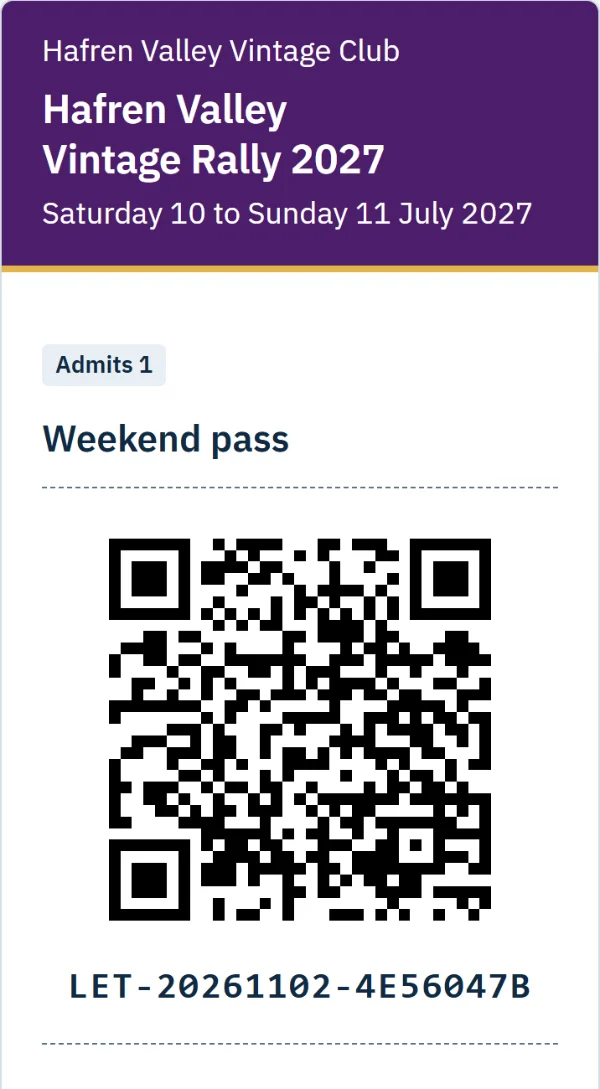
Buyers get an email the moment they've paid, which is also their receipt. Their tickets open on their phone or print from a PDF.
- a QR code for each person, or one for a whole car or group
- your own words and an image on every ticket, such as parking details or a sponsor's advert
- a "Find my tickets" page for anyone who loses the email
- emails to every buyer if the date, time or place changes
Your dashboard
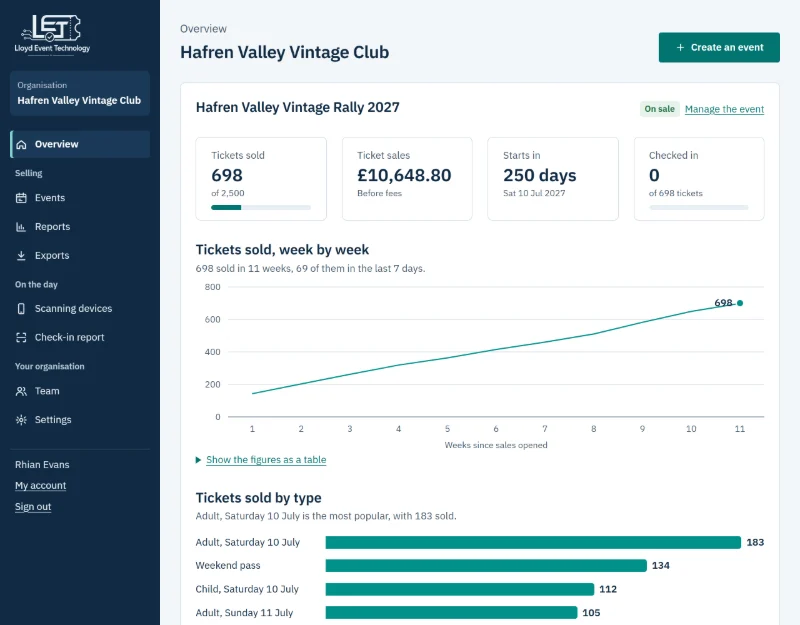
Know how sales are going
Everything updates as people book, so you can plan stewards, catering and car parking with real numbers.
- tickets sold and money taken, against your capacity
- sales week by week, and which tickets are most popular
- a warning when a ticket type is nearly sold out or sales are behind
- sales between any two dates, and spreadsheets of orders and tickets
Orders
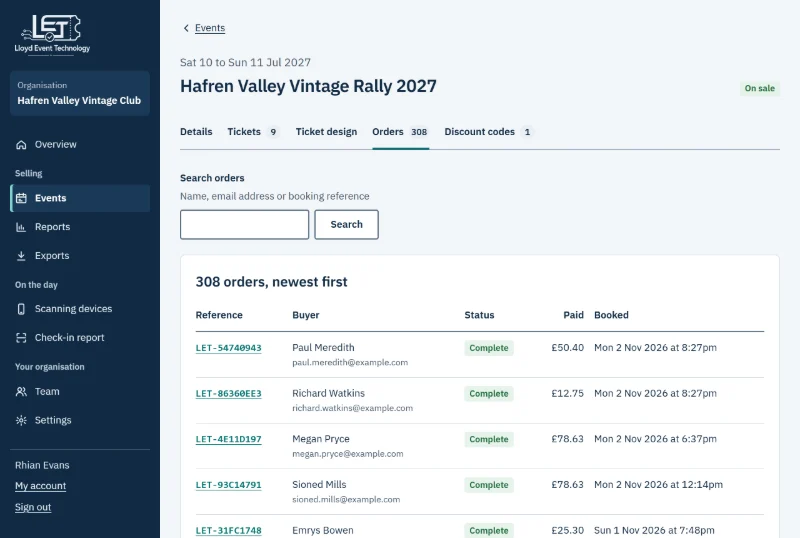
Every booking, easy to find
When someone rings with a question, find their booking in seconds and sort it out there and then.
- search by name, email address or booking reference
- each booking with its tickets, answers and payment
- refunds for a whole booking, chosen tickets or a goodwill amount
- one email to everyone who booked, about parking, the weather or timings
On the day
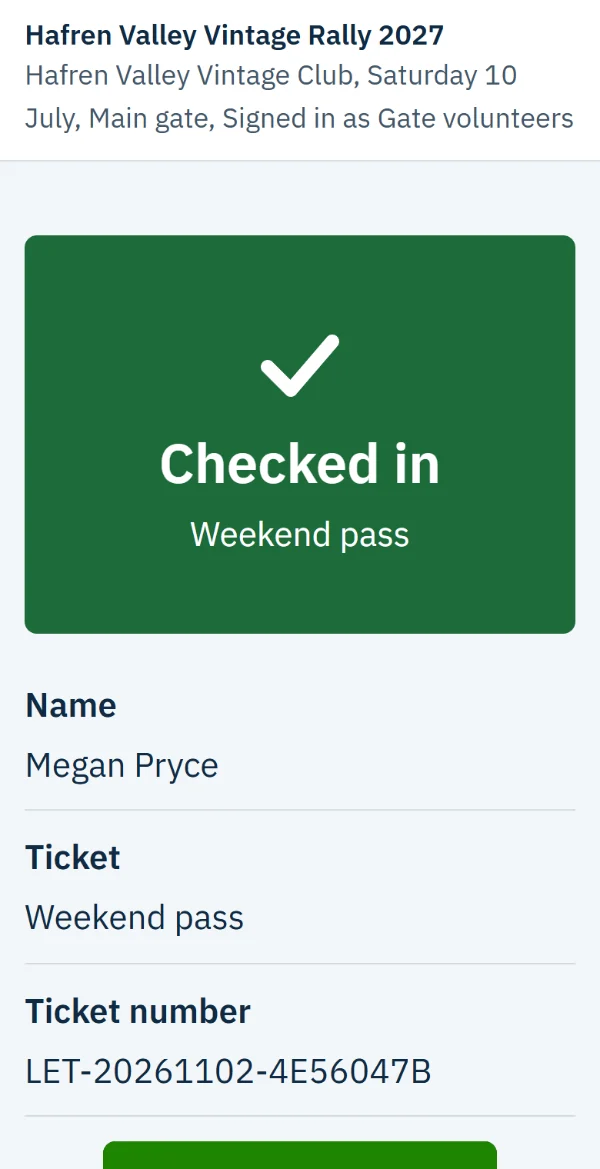
Check tickets in on any phone
Your volunteers use their own phones, with nothing to install. Pair each one with a code from your dashboard and a staff PIN.
- a big, clear result for every ticket, easy to read at arm's length in bright sun
- each person's name on screen as their ticket is checked
- a warning for a ticket that's already been used or is for another day
- checking that keeps working when the signal drops, and catches up when it's back
- a report of how many people are in, and any ticket used twice
And the rest
Built for the way clubs and venues work
-
Your whole team
Invite people as an Owner, Admin or Staff, each with their own sign-in and only what their role needs.
-
Safe sign-in
Every sign-in has a second step: an emailed code, an authenticator app or a passkey.
-
Paid into your account
Payments go to your own Stripe account, and Stripe pays them out to your bank.
-
Free events too
Free tickets cost you nothing, and buyers book them without card details.
-
Honest prices
Prices always include the booking fee, as UK rules expect, and there are no fake countdowns.
-
Your data
Download your orders and tickets as spreadsheets whenever you like.
Let's get your tickets ready to sell
Tell us where your event is and what you need to get started.